Mobile App
iOS and Android — employees report safety status with a single tap, from anywhere.
Primary channel for field and office staff


Crisis command
What Is panic.app?
Track employee safety in real time during earthquakes, fires, floods, and other emergencies. With panic.app, structured status updates and SMS fallback help replace uncertainty with clarity.


Overview
panic.app is an enterprise safety and crisis management platform that helps organizations maintain uninterrupted communication with employees during disasters, crises, and emergencies.
By combining a mobile app, web console, and SMS infrastructure, it keeps information flowing even when internet access is unavailable. It answers the question "Who is safe, and who needs help?" within minutes.
iOS and Android — employees report safety status with a single tap, from anywhere.
Primary channel for field and office staff
Real-time command view for HR, HSE, and operations leaders.
Map, filters, assignments, and live analytics
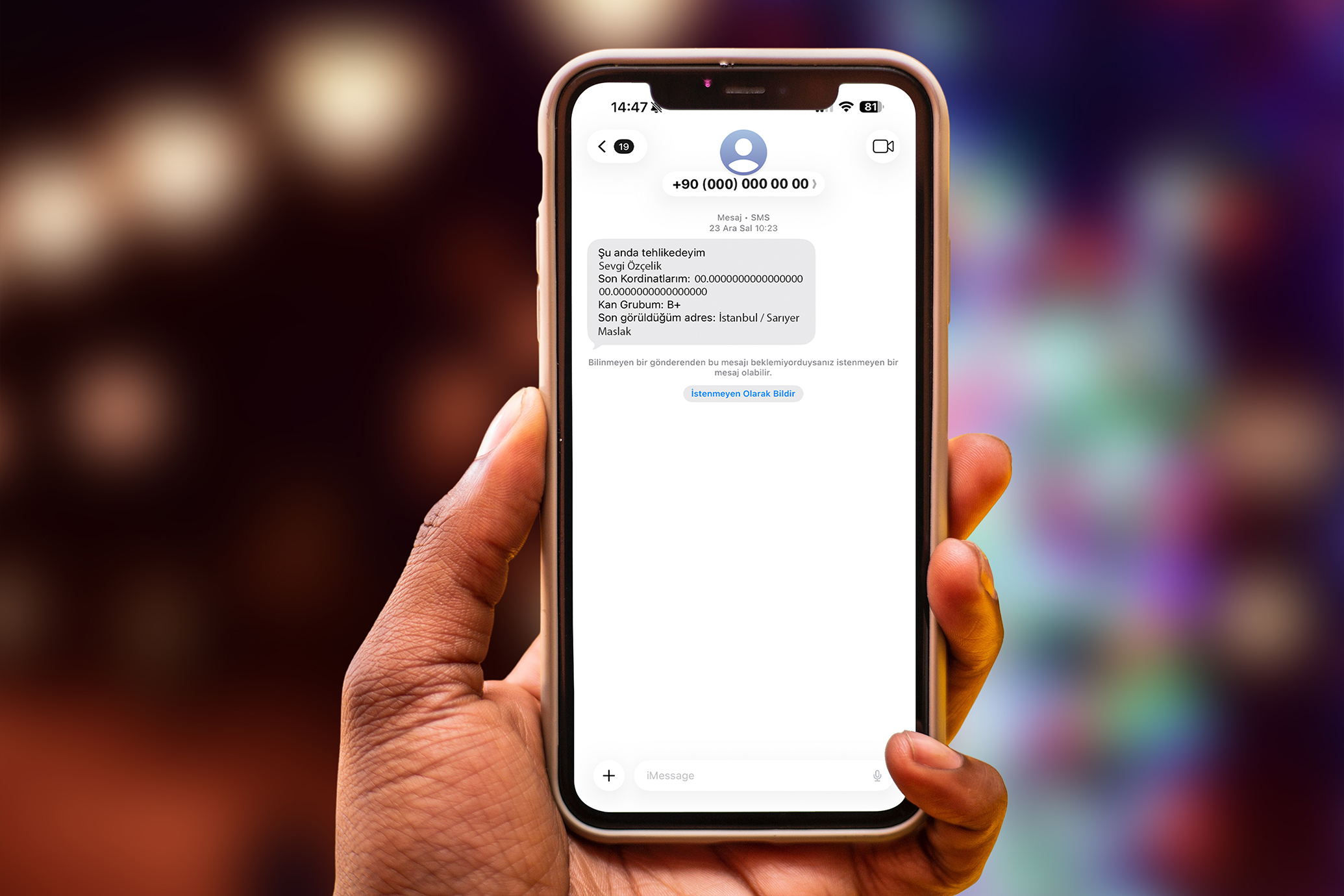
Automatic fallback when mobile data or Wi-Fi is unavailable.
Responses merge into the same admin panel
Every drill and incident produces a timestamped trail.
For internal review, compliance, and post-incident analysis
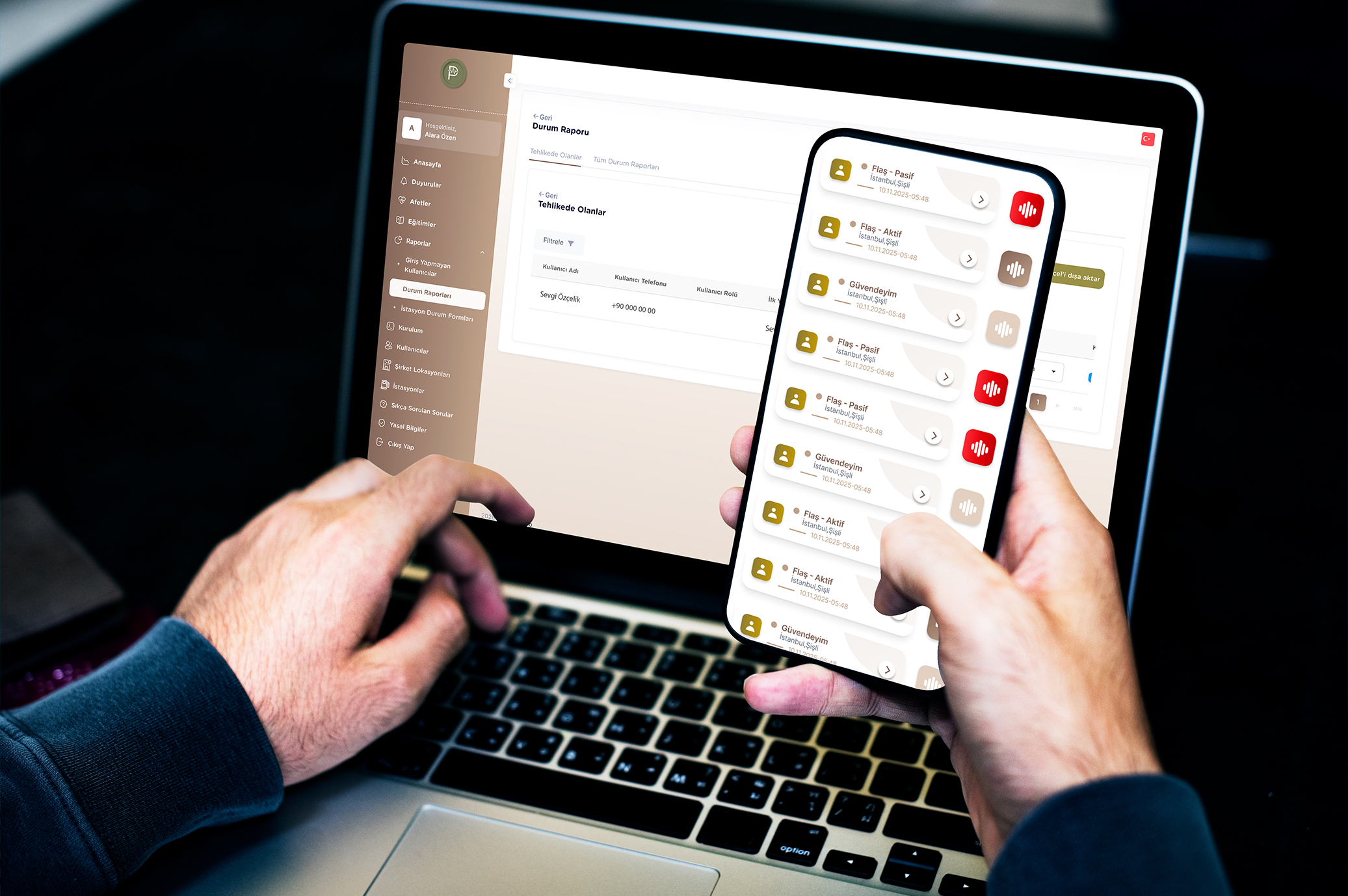
Three channels, one command view
Who is safe — and who needs help?
01
Activate incident
02
Collect status
03
Prioritize response
panic.app is not a chat app — it is a structured employee safety status system built for the first critical minutes of a crisis.
The Problem
The core challenges organizations face during a crisis consume precious time in moments when every minute matters.
Phone lines fail and WhatsApp groups fall short. Issues that should be resolved in minutes stretch into hours.
Critical details get lost across WhatsApp, phone calls, and email. No one knows who is safe.
Manual call lists and spreadsheets waste valuable time. Prioritization becomes impossible.
panic.app is built to eliminate this chaos.
Why panic.app
panic.app replaces manual call trees and scattered messaging when you need structured employee safety status — fast.
When an incident starts, the first minutes disappear into phone trees, duplicate messages, and guessing who still needs help. panic.app gives HR, HSE, and operations leaders one live command view — without changing how your teams communicate day to day.
Mobile app is the primary channel; automatic SMS backup collects responses when connectivity drops.
WhatsApp groups and email chains fail when infrastructure collapses — panic.app keeps two channels in one workflow.
See who is safe, at risk, or has not responded — prioritized on a map and admin panel within seconds.
Manual Excel lists and phone trees burn critical minutes; managers need a single live picture.
Every drill and real incident produces a timestamped record for internal review and compliance.
Fragmented chat logs cannot support post-incident evaluation or regulatory documentation.
Process
The entire process completes in minutes.
Define an earthquake, fire, security threat, or drill from the admin console.
Employees respond with a single tap — "I'm Safe" or "I'm at Risk."
All responses appear instantly on maps and lists so the right action can be taken.
Reliability
In the most critical moments of a crisis, internet is often the first thing to go. panic.app uses automatic SMS fallback for exactly these scenarios. Users without internet access respond via SMS, and their replies merge with all other data on a single console view.
Primary Channel
Internet
Backup Channel
SMS
Status collection can continue via SMS when mobile data is unavailable.
Capabilities
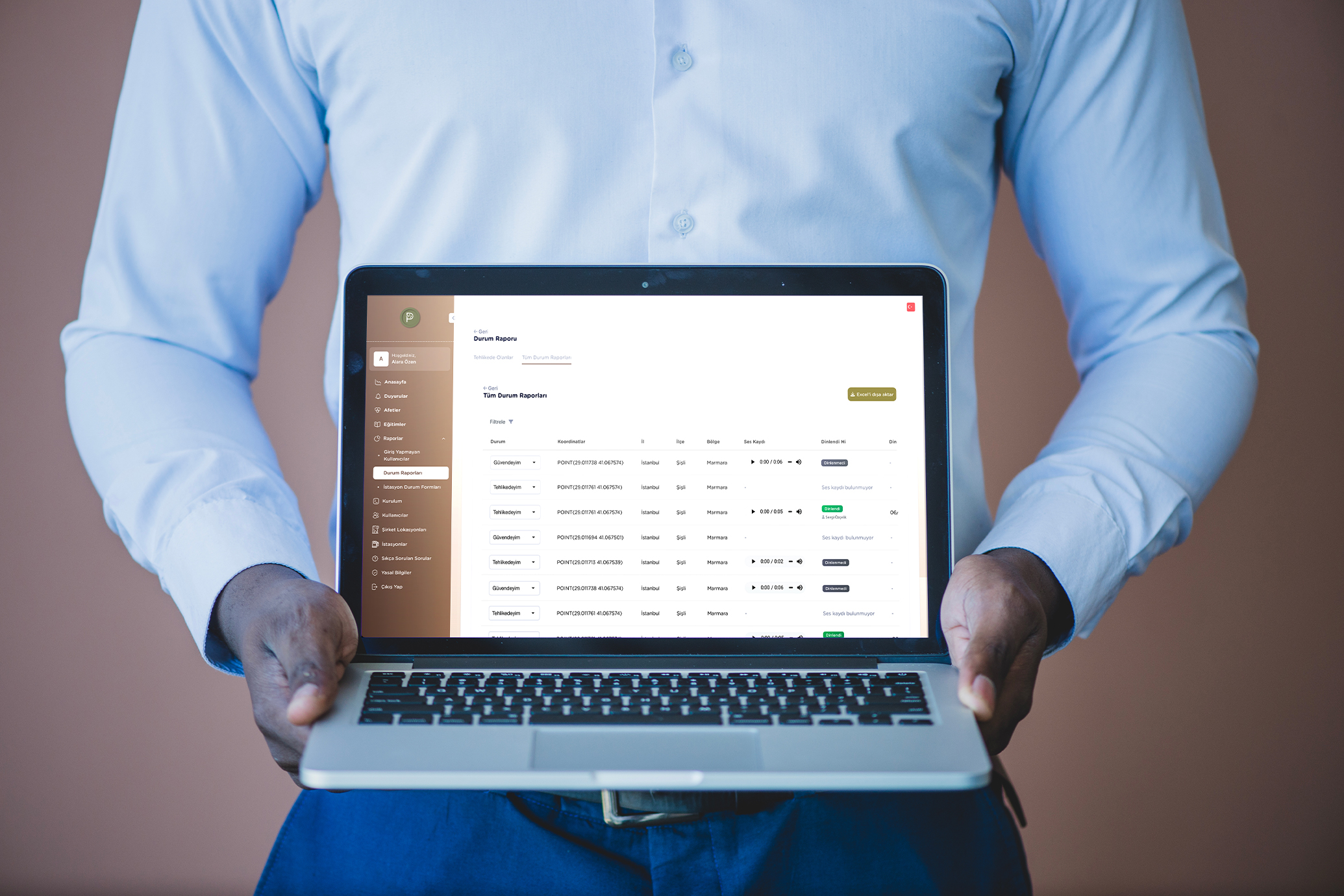
Green for safe, red for at risk, gray for no response yet — prioritize in seconds.
Walk through panic.app with our team — scenarios, SMS fallback, and reporting tailored to your organization.
Scenarios
Illustrative product walkthroughs — timestamps, steps, and sample outcomes that show how panic.app can support coordination in the field. These are demonstrations, not verified customer case studies.
An illustrative walkthrough of status collection and coordination at an 850-employee organization after a simulated magnitude 7.2 earthquake.
Illustrative product demo
Automatic Activation
When a national alert integration is configured, panic.app can ingest agency feed data, create an incident, and dispatch alerts.
Mass Alert Dispatch
In this demo, all 850 employees receive a notification alongside the sample agency alert timing.
Status Reports
Sample responses arrive from 520 people in the first 40 seconds. 465 report safe; 55 report at risk.
Real-Time Map
The admin console opens a city map. Each department appears on a separate layer.
Rescue Teams
Locations of the 55 people who need help can be shared with response teams.
Results
In this illustrative timeline, 820 people respond within one hour (96%); 52 are prioritized for assistance.
Sample results
Compare panic.app against your current call trees and messaging groups in a 30-minute session.
Use Cases
From headquarters to the field — panic.app adapts to how each sector coordinates people during real incidents and drills.

Municipalities and government agencies use panic.app for staff coordination, field team tracking, and post-disaster reporting — when minutes matter and accountability is required.
What teams use it for
Typical incidents
Security
Designed to support GDPR and KVKK obligations — formal documentation available on request.
Data is encrypted in transit and at rest using industry-standard cryptography (AES-256 where applicable).
Each user accesses only the data they are authorized to see.
User location data is used only during an active incident or drill when a response is submitted; continuous tracking is not performed. Marketing-site data is processed under our Privacy Policy (KVKK/GDPR where applicable). Product processing is governed by your organization's agreement.
We share architecture notes, data residency options, and KVKK/GDPR documentation on request.
Integrations
Integration scope is evaluated per organization. Below are typical connection categories — confirm availability during your demo.
panic.app
Integration hub
Contact our team to map integrations to your environment.
Pricing
panic.app uses a sales-led model. Pricing depends on employee count, locations, and integration scope.
Single location, core incident management
Multi-location operations
Large-scale and custom needs
Public pricing is not listed. Contact us for a tailored proposal.
Product
These are product facts on this site — not customer performance averages.
5
locales
English, Turkish, German, French, Spanish
3
channels
Mobile app, web console, and SMS fallback
0
+ Android
Employee status from the field
0
pricing
No public list prices — book a demo

Culture
panic.app is more than software — it builds an organizational reflex. In crisis moments, it replaces panic with order and uncertainty with clarity.
Employees know their organization has their back.
Every drill and incident is a learning opportunity.
Develop a proactive approach to safety.
About
panic.app is developed and operated by ICI Tech Teknoloji A.Ş. in Istanbul, Turkey.
Crisis and employee safety communication — mobile app, web console, and SMS fallback for organizations.
Sales and support: app@icitech.com.tr · +90 533 214 6644
Maslak, Sun Plaza · Sarıyer / Istanbul, Turkey
FAQ
Common questions from HR, HSE, and IT teams evaluating emergency communication tools.
No. It is designed for emergencies and drills — collecting structured safety status, prioritizing responses, and producing reports. Everyday messaging stays in your existing tools.
Timeline depends on organization size and integration scope. Typical onboarding steps and responsible teams are shared during your demo call.
Yes. The mobile app is primary; SMS backup accepts status responses when users cannot reach the app online. All responses merge in the admin panel.
No. Location is used only during an active incident or drill when the employee submits a response. Continuous tracking is not performed.
Data is protected with encryption in transit, role-based access control, and incident-scoped location use. Formal compliance documentation is available on request.
Integration with national alert systems is shown in product scenarios. Live scope is confirmed per project during sales consultation.
The platform scales from mid-size teams to thousands of employees. Scenario walkthroughs on this site illustrate flows from 85 to 2,500 people.
Quotes are based on employee count, location count, and integration requirements. Contact our sales team — there is no self-serve public pricing.
Contact
Whether it's a product demo, rollout planning, or technical questions — our team helps HR, HSE, and business continuity leaders get started with panic.app.
Send us a message →See how it works for your organization — call us now or send an email.